AI focus planner for iPhone, Android, and web

Plan your day. Protect your focus.

Tell DayHarbor what’s competing for your attention. It turns the mess into a realistic plan and keeps the next task clear when the day changes.

One account keeps your plan in sync across devices.

  • Review every AI-generated plan
  • Read-only calendar connection
  • Delete your account anytime
DayHarbor Today screen on the web
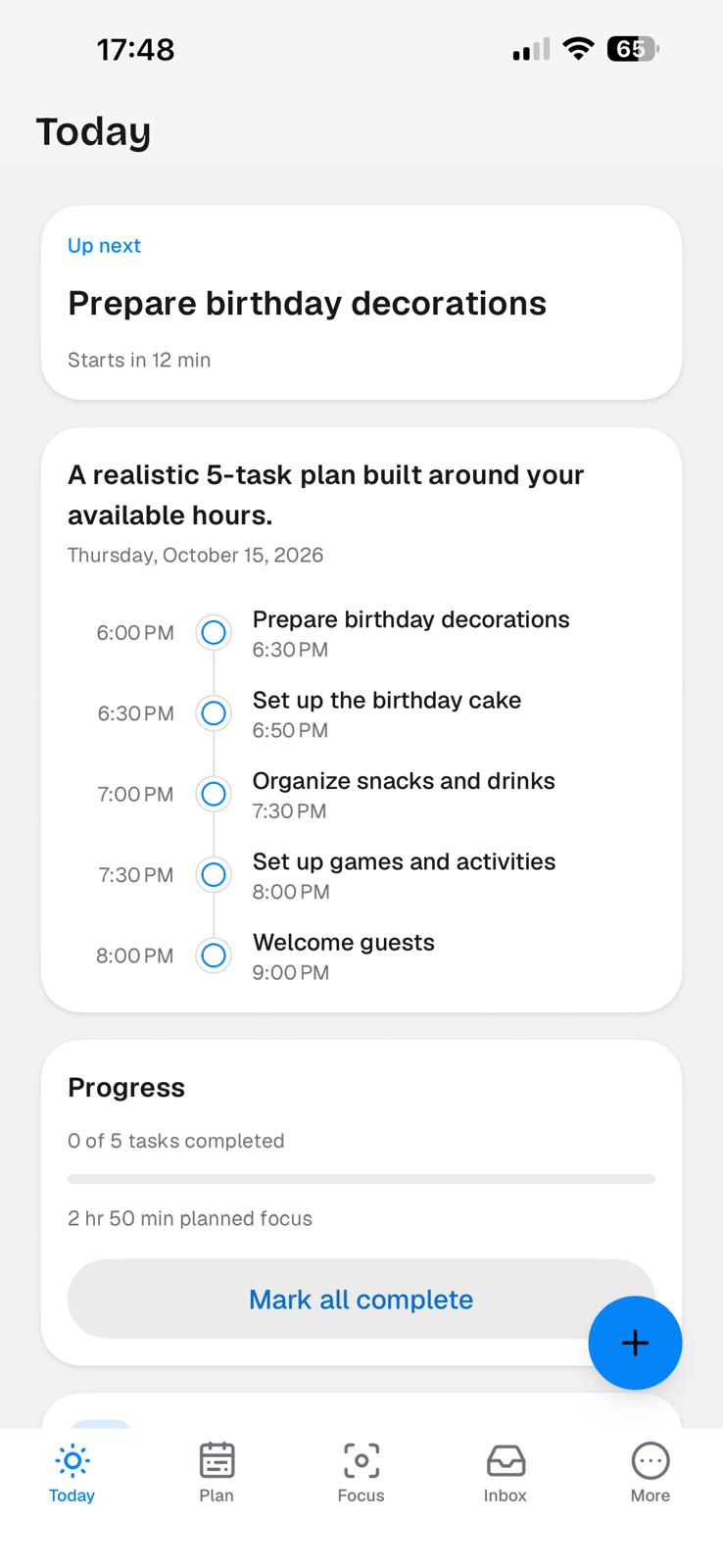
DayHarbor Today screen on iPhone

From mental load to clear action

A calmer way to decide what to do next.

DayHarbor keeps capture, planning, focus, and recovery in one loop so you spend less time maintaining a productivity system.

  1. 1

    Unload what’s on your mind

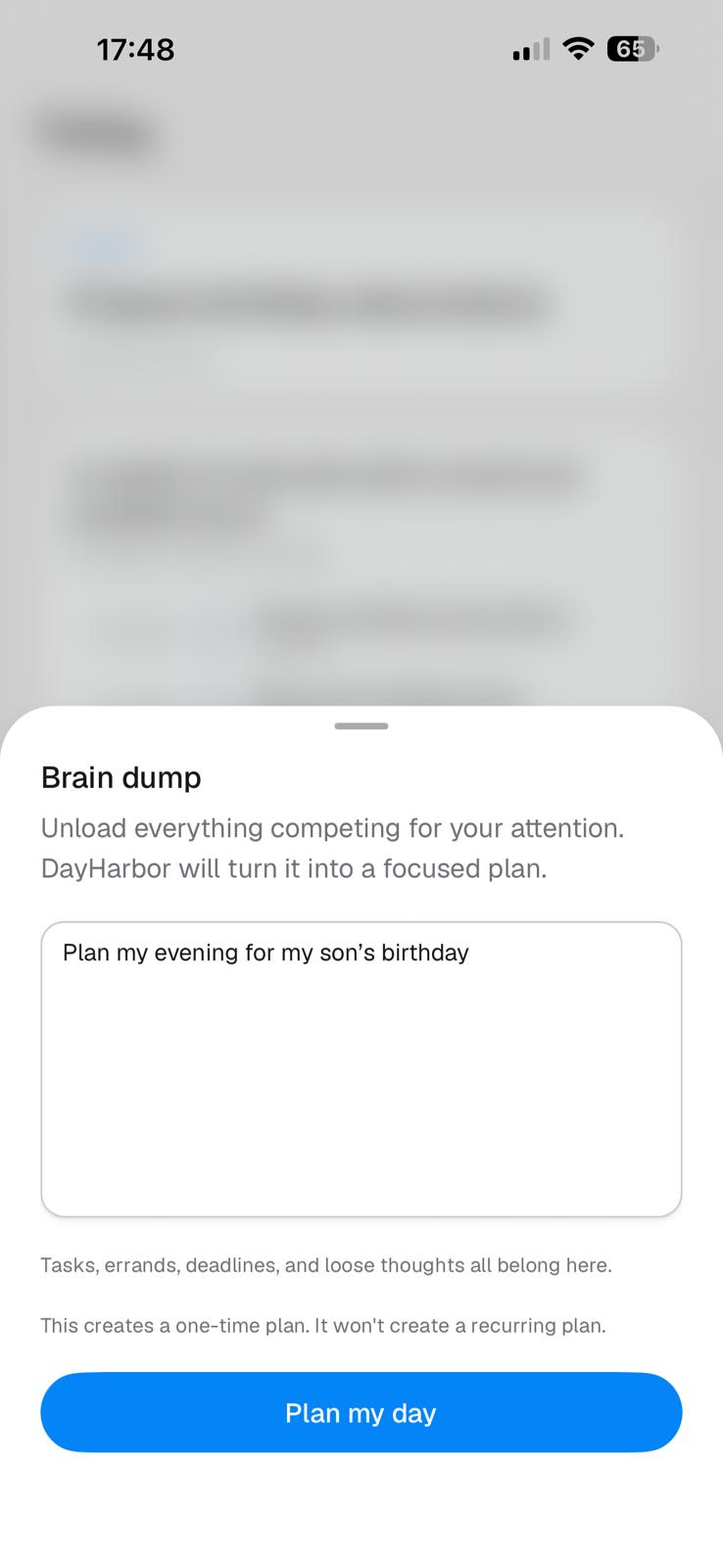
    Write naturally. Tasks, errands, deadlines, and loose thoughts can all start in one brain dump.

  2. 2

    Review a realistic plan

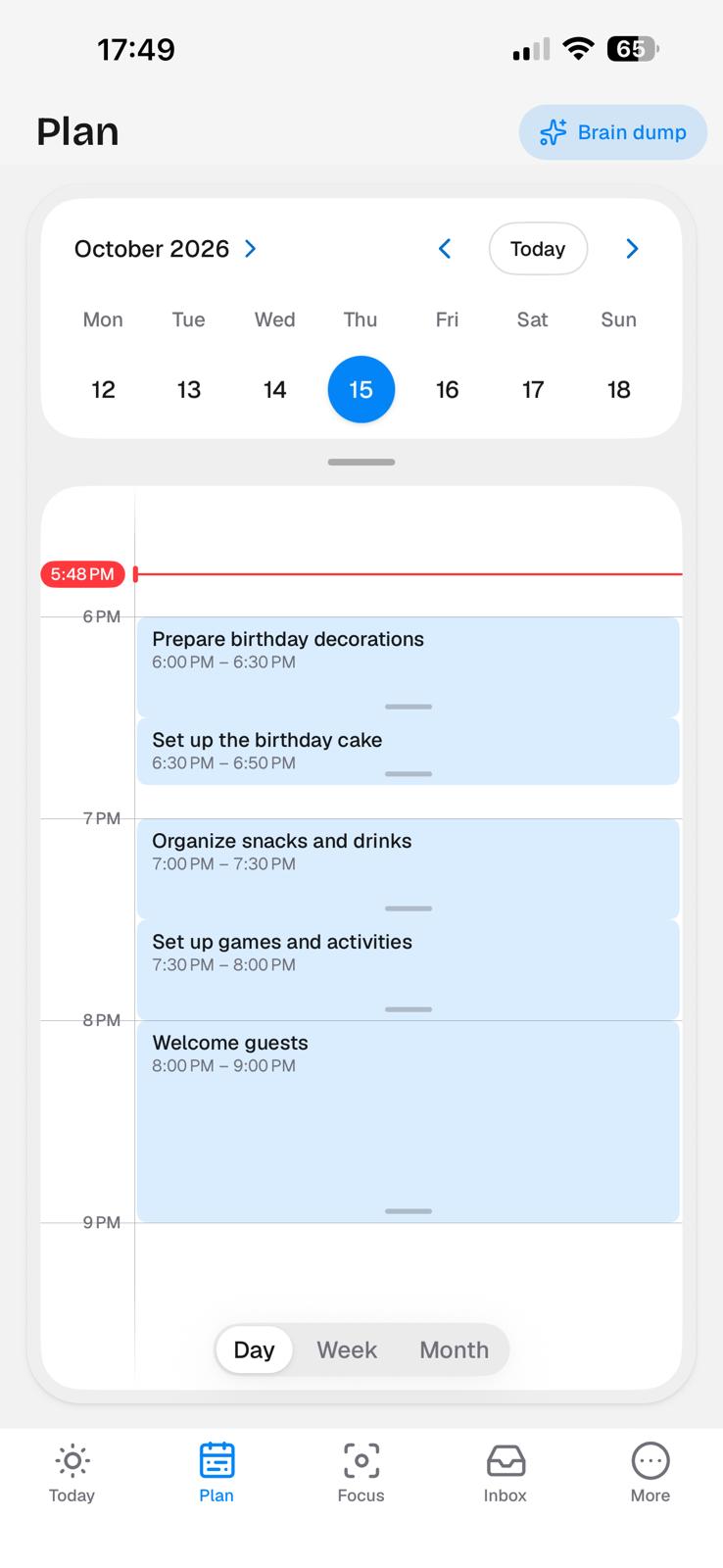
    DayHarbor finds actionable work, estimates effort, and fits it around the time you actually have.

  3. 3

    Focus, then adapt

    Work from one clear next task. When the day changes, missed work returns to a real opening.

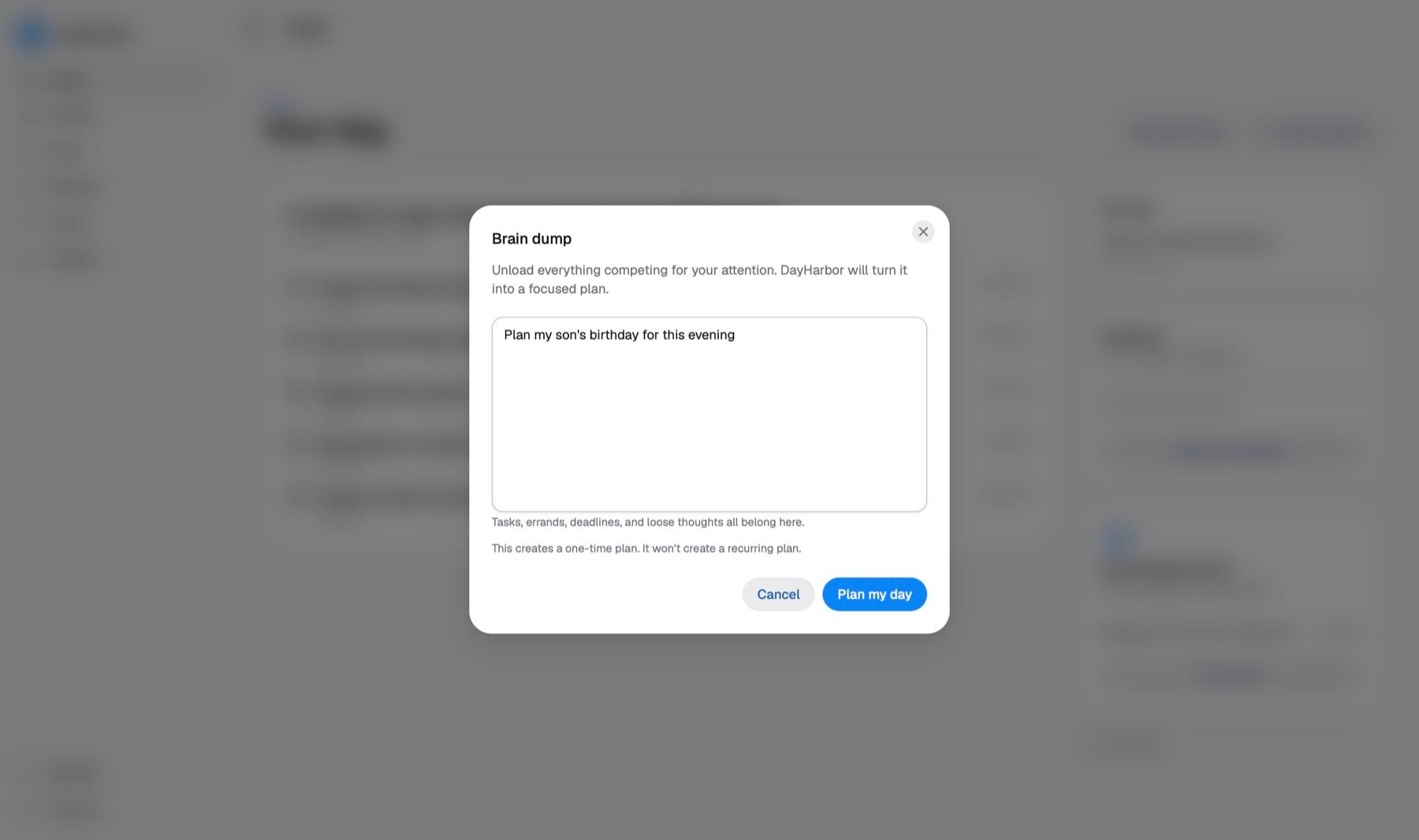
A natural-language brain dump in DayHarbor
From brain dump to a plan you can review
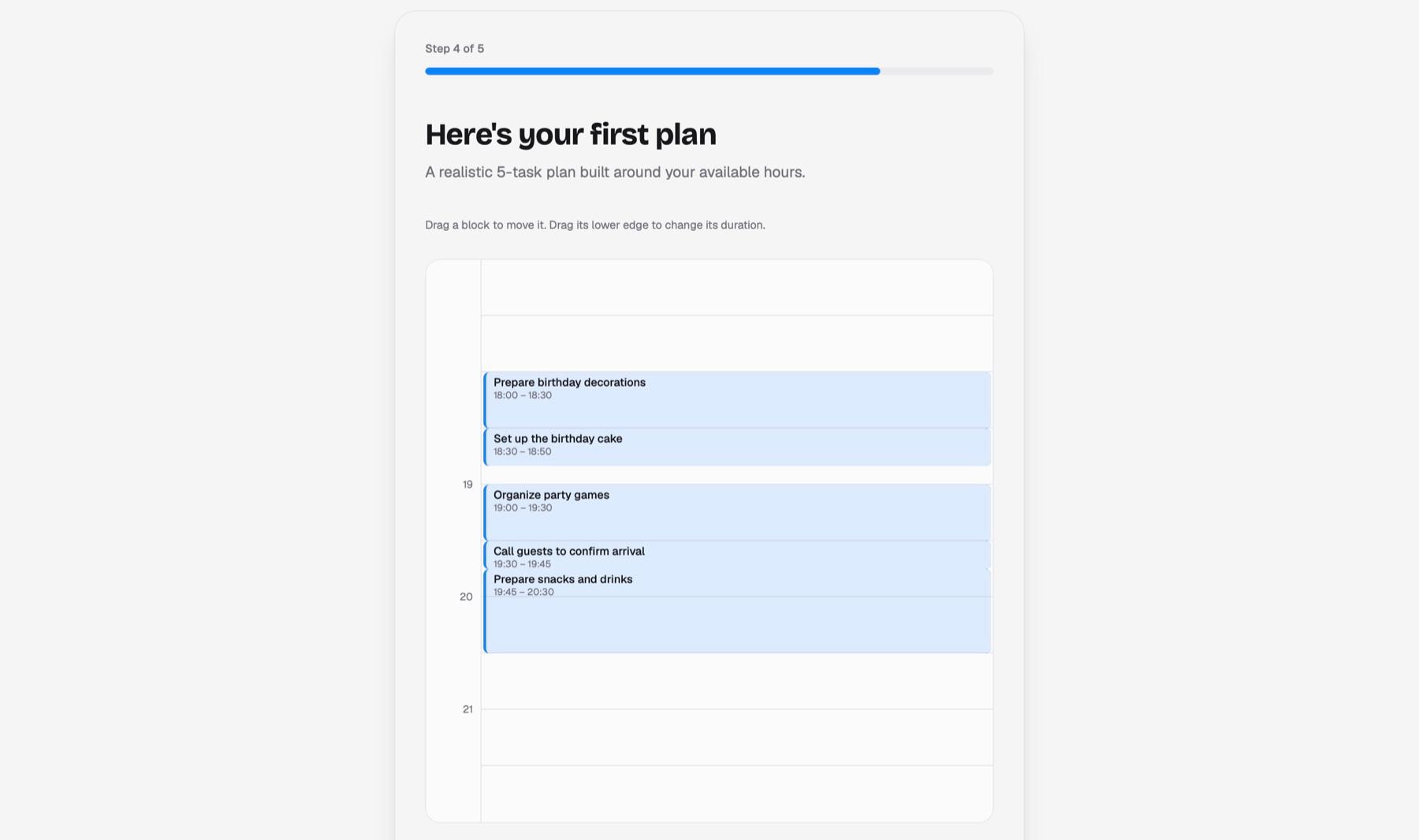
A generated daily plan ready to review

Built around the whole day

A plan that stays useful after the morning.

Capture, schedule, focus, and recover in one connected workflow.

Brain dump

From brain dump to a realistic day.

Write naturally. DayHarbor finds the actionable work, estimates effort, and fits it around the hours you have available.

  • Capture messy thoughts in one place
  • Turn them into actionable tasks
  • Review the first plan before you begin
DayHarbor brain dump on web and mobile

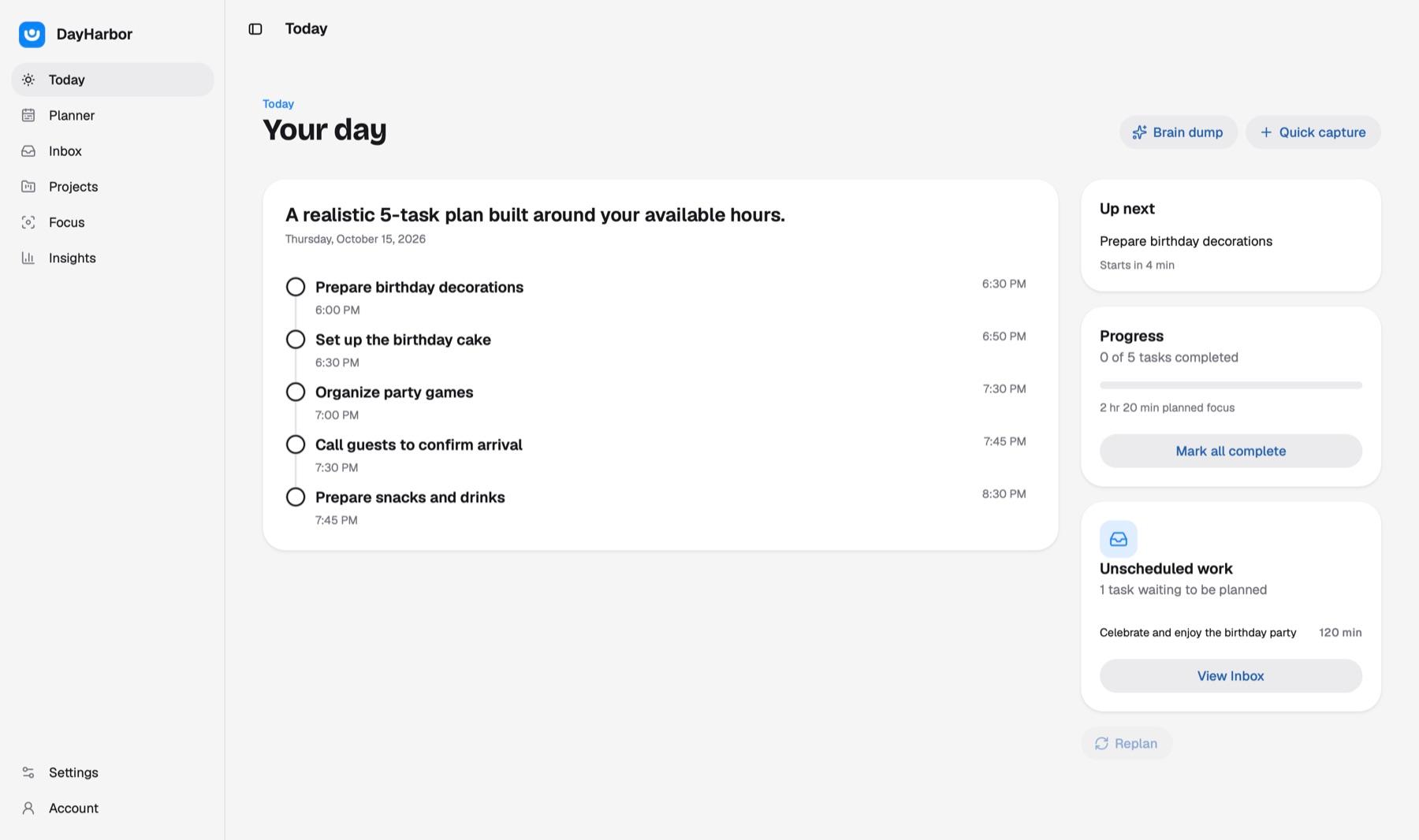
Today

Know exactly what to do next.

Today keeps the current plan, the next task, progress, and unscheduled work close without becoming another crowded dashboard.

  • A realistic plan for the available day
  • Clear next-task guidance
  • Fast capture when something new appears
DayHarbor Today plan on web and mobile

Planner

See your time, not just your tasks.

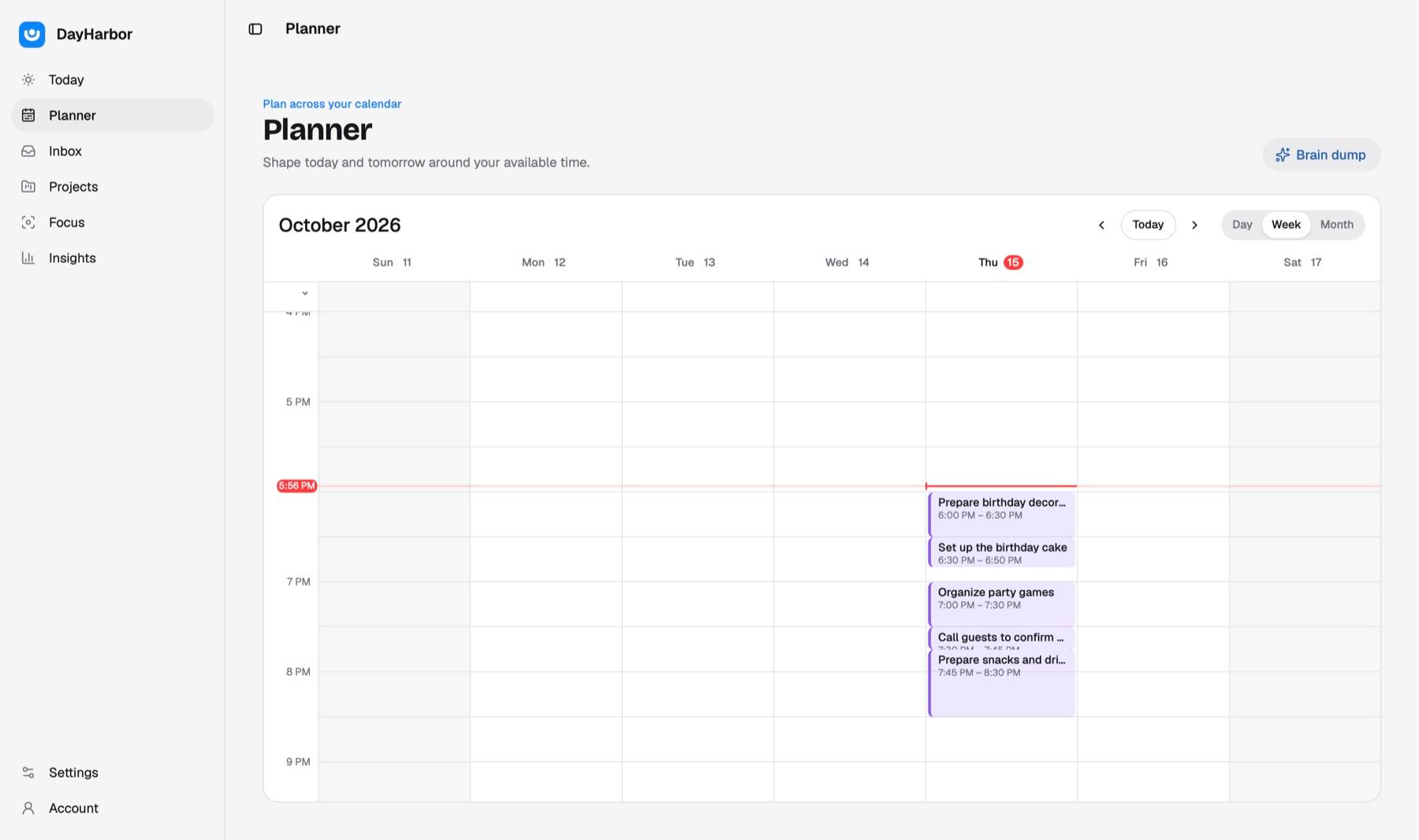
Move and resize schedule blocks, plan across the week on web, and keep device calendar events visible while DayHarbor finds room for focused work.

  • Day, week, and month planning
  • Drag and resize planned work
  • Read-only device calendar context
DayHarbor calendar planner on web and mobile

Focus

Plan the work. Then actually do it.

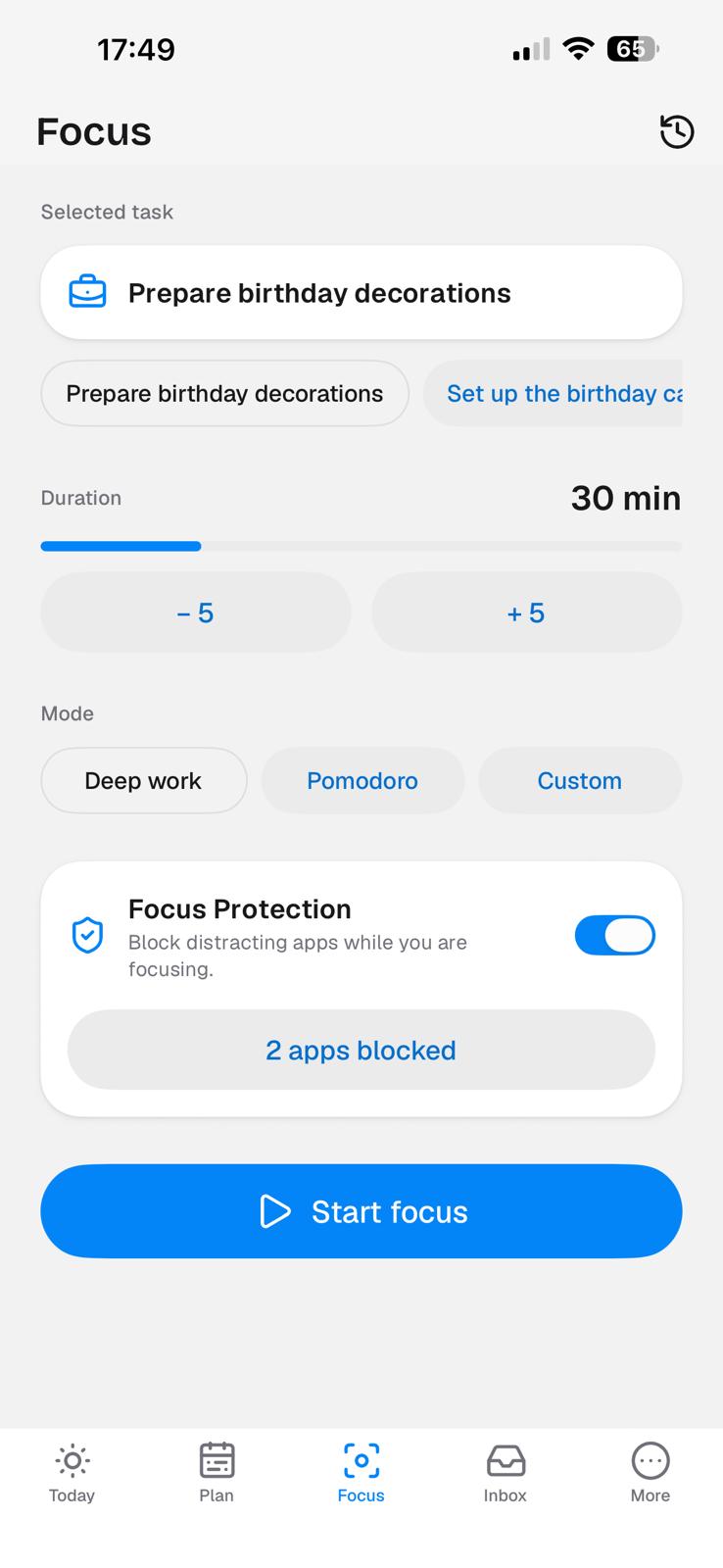
Choose a task and a focus mode, then let DayHarbor keep the session tied to the plan. On supported mobile devices, Focus Protection can block selected distractions.

  • Deep work, Pomodoro, and custom sessions
  • Timestamp-based timers that survive interruptions
  • Optional distraction blocking on mobile
DayHarbor Focus screen with Focus Protection enabled

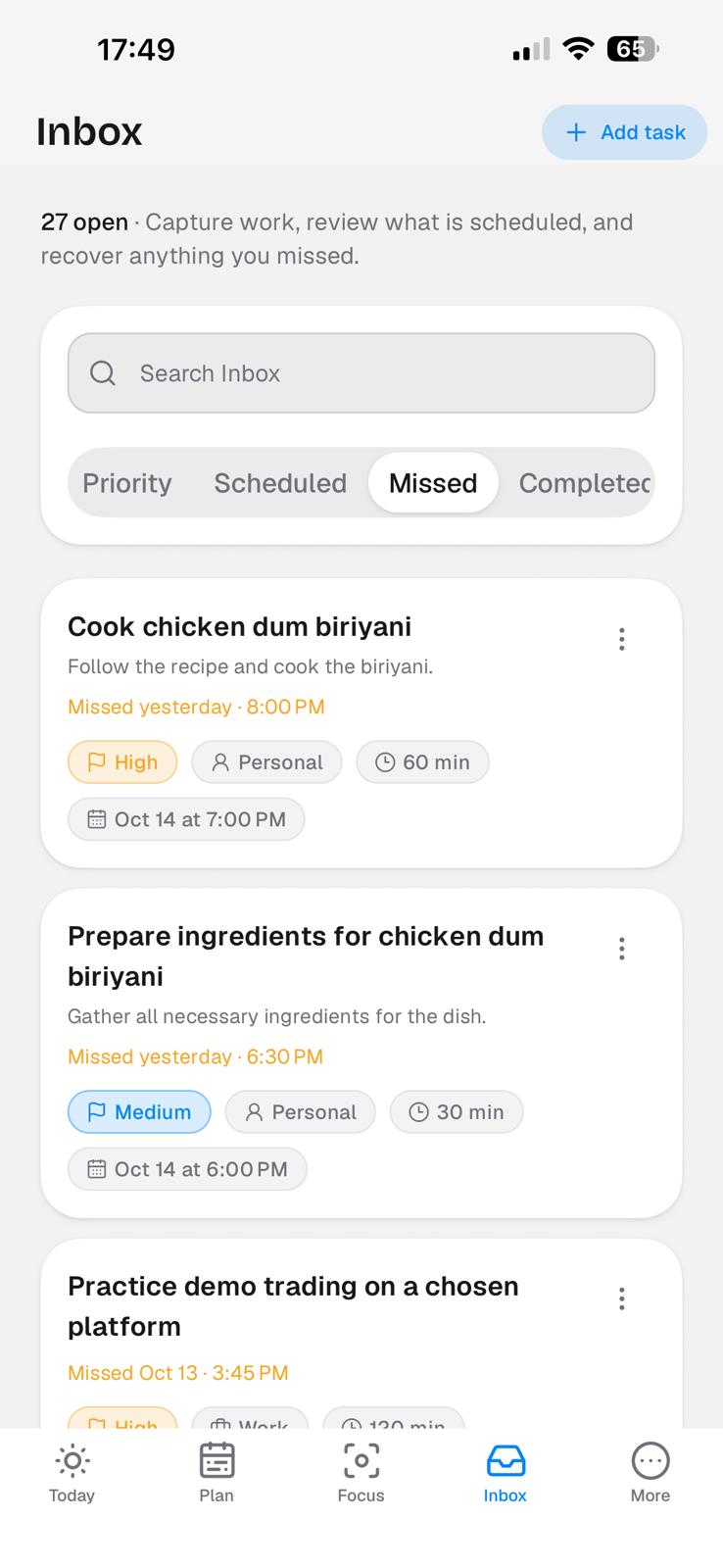
Missed work and replan

Your day changed. Your plan can too.

DayHarbor surfaces work whose scheduled time has passed and lets you move it to a real opening instead of silently carrying it forever.

  • See missed scheduled work clearly
  • Move a task to an available block
  • Keep the current plan honest
Missed tasks in the DayHarbor inbox

Clarity beyond today

Keep the bigger picture useful.

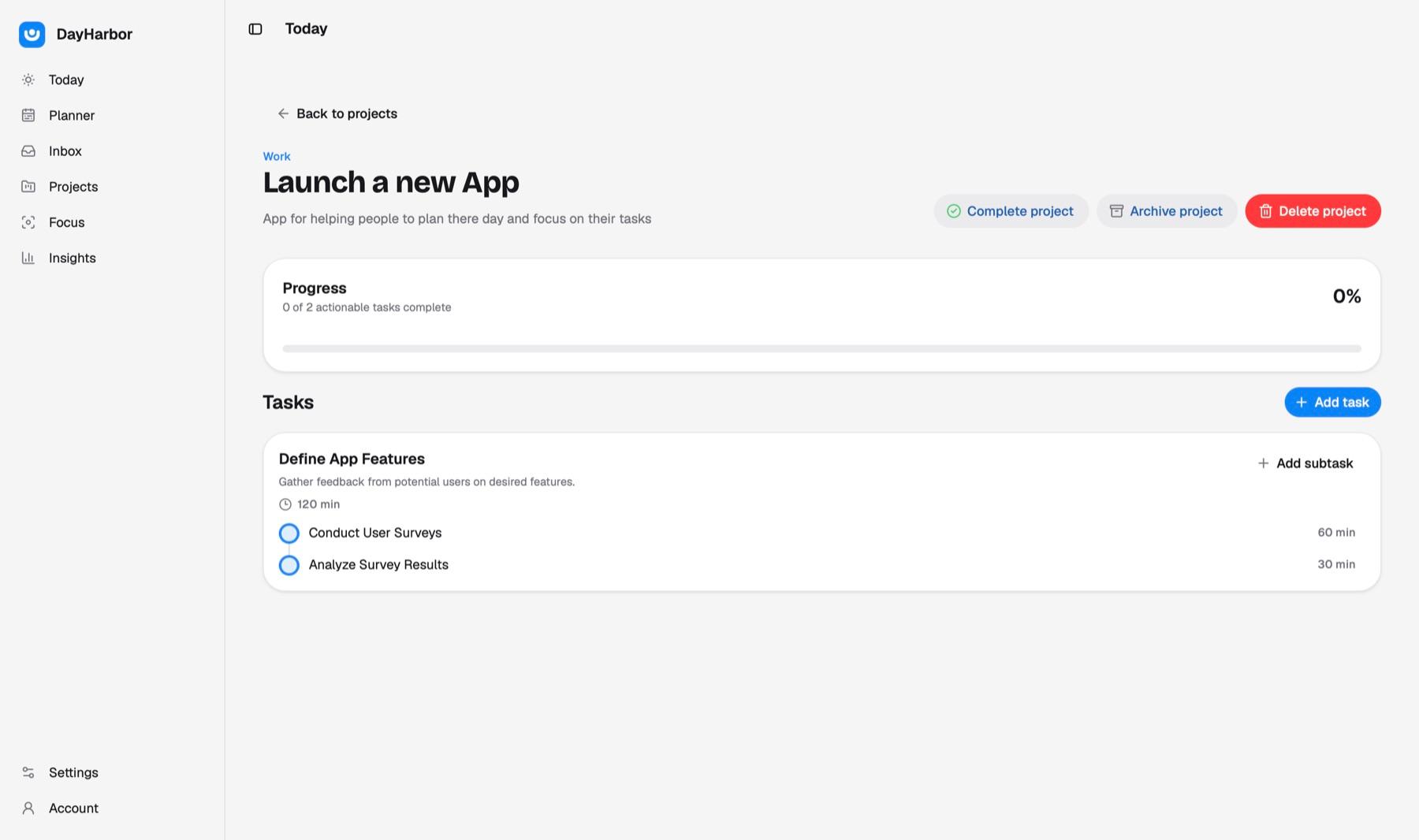
Projects turn outcomes into actionable work. Insights show how your plans compare with what you actually completed.

DayHarbor project progress on web and mobile

Projects

Turn big goals into action.

Group related work, break large tasks into actionable steps, and track meaningful progress without turning DayHarbor into project-management overhead.

  • Outcome-focused project structure
  • Actionable tasks and subtasks
  • Progress based on work that can actually be completed
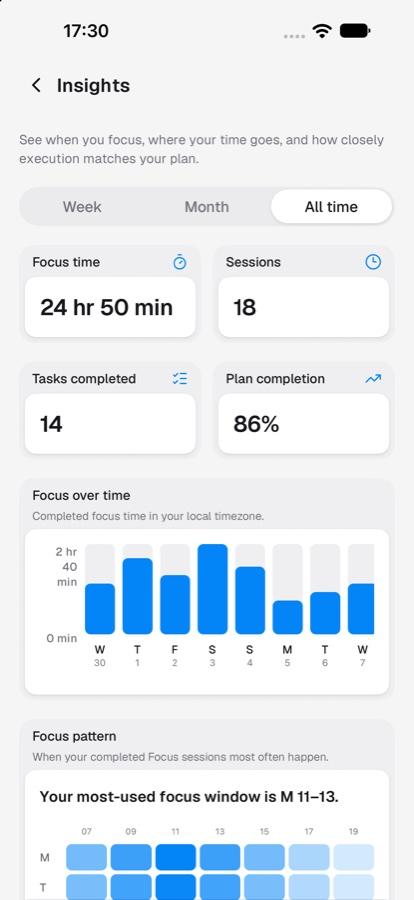
DayHarbor focus and planning insights

Insights

Learn how you actually work.

See when focus happens, where time goes, and how closely execution matches the plan. Insights become more useful as completed sessions build a clearer history.

  • Focus time and completed sessions
  • Plan completion trends
  • Patterns across your working day

One plan, wherever you work

Your plan goes with you.

Use the same DayHarbor account on iPhone, Android, and the web. Your tasks, plans, projects, and focus history follow you.

Frequently asked questions

A few things worth knowing.

Your next clear day starts here

Tomorrow doesn’t need another todo list.

Give it a plan. Start in the browser, then take the same day with you on mobile.